 Marukit
Guide
How to Download Instagram Reels (iPhone, Android, PC)
Instagram lets you save Reels inside the app, but not to your camera roll. Here's how to save a public Reel as a normal MP4 file you can keep, edit or share.
Updated · 2 min read
Before you start
- The Reel must be from a public account. Private accounts and Stories need a login and can't be downloaded.
- Only download Reels you made or have permission to use, and credit the creator if you repost.
Step 1: Copy the Reel's link
- Open the Reel in Instagram.
- Tap the paper-plane (Share) icon, or the three dots.
- Tap Copy link. It looks like instagram.com/reel/…
Step 2: Paste it into the downloader
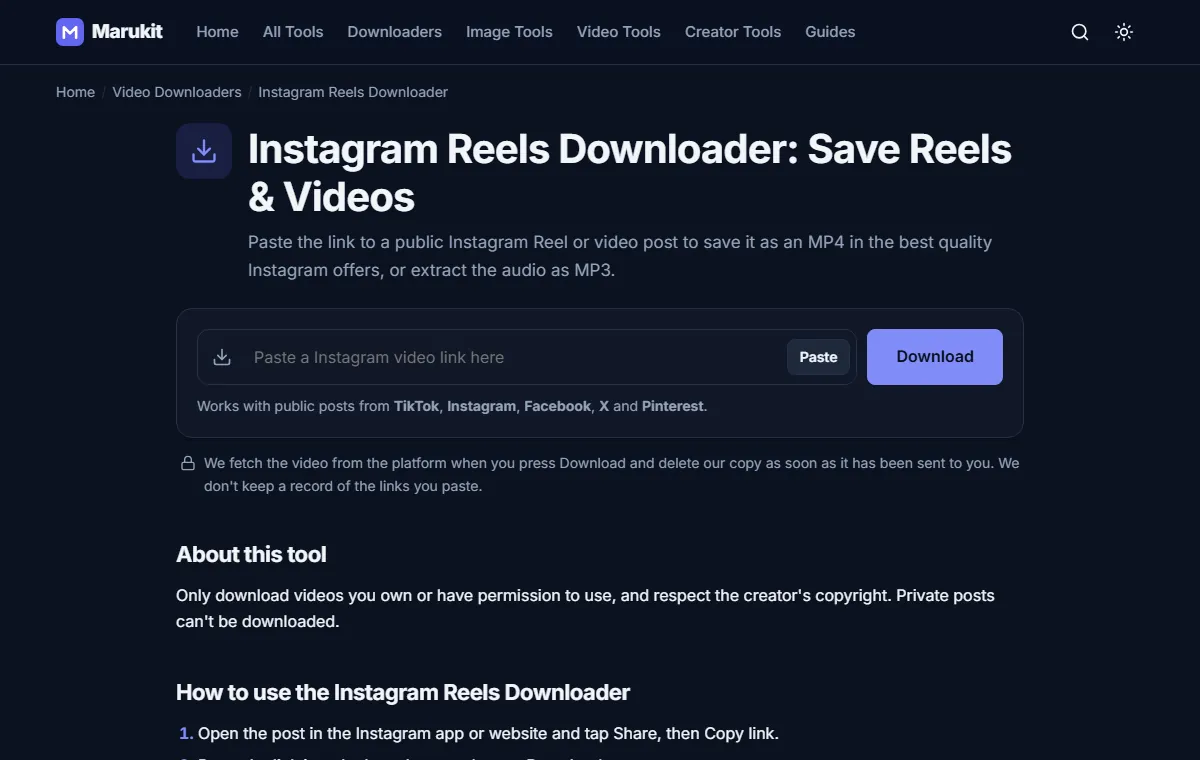
- Open the Instagram Reels Downloader.
- Tap Paste, or paste the link into the box. It starts by itself.
- Choose MP4 (best quality) for the full 1080p file, a lower quality for a smaller file, or MP3 for just the audio.
Step 3: Find the video on your device
- iPhone: Files app › Downloads. Open it, tap Share, then Save Video to add it to Photos.
- Android: the Downloads or Files app, usually also visible in your gallery.
- Computer: your Downloads folder.
Common problems
- "Couldn't fetch this video": Instagram limits how often its pages can be viewed without logging in. Wait a few minutes and try again.
- Carousel posts with several videos download the first video.
- Stories and Highlights aren't supported because they always require a login.
Need the Reel smaller for WhatsApp? Run the downloaded file through Compress Video for WhatsApp.
Try the Instagram Reels DownloaderDownload public Instagram Reels and videos in full quality. Free, no signup.Open toolFrequently asked questions
Will the Reel keep its music?
Yes. The MP4 includes the audio exactly as it plays in the Reel.
Does the creator get notified?
No. Downloading a public Reel doesn't notify anyone.
Tools in this guide
More guides
- How to Download TikTok Videos Without Watermark
- How to Compress an Image to 100KB Without Losing Too Much Quality
- How to Compress a Video for WhatsApp
- HEIC vs JPG: Which Should You Use, and How to Convert
- Best Video Sizes for Social Media (TikTok, Reels, Shorts and More)
- How to Convert MOV to MP4 (Windows, Mac and iPhone)
- How to Convert PNG to WebP for a Faster Website
- How to Reduce Video Size on Your Phone (iPhone and Android)
- How to Make Your Photo Fit as a WhatsApp DP