 Marukit
Guide
How to Download TikTok Videos Without Watermark
TikTok's own Save button adds a bouncing logo and the creator's username. Here's how to save the clean original instead, on any phone or computer, in under a minute.
Updated · 2 min read
Why TikTok's Save button adds a watermark
When you tap Save video in TikTok, the app re-renders the clip with the TikTok logo and the creator's @username on top. The original upload stored on TikTok's servers doesn't have that overlay. A downloader that fetches the original gives you the clean file. It's the same video, just without the branding.
Only save videos you made or have permission to use. Removing the watermark doesn't change who owns the video, so credit the creator if you share it.
Step 1: Copy the TikTok link
- Open the video in the TikTok app.
- Tap the Share arrow on the right side.
- Tap Copy link. You'll get a short link like vm.tiktok.com/…, which works fine.
On a computer, open the video on tiktok.com and copy the address from the address bar.
Step 2: Paste it into Marukit
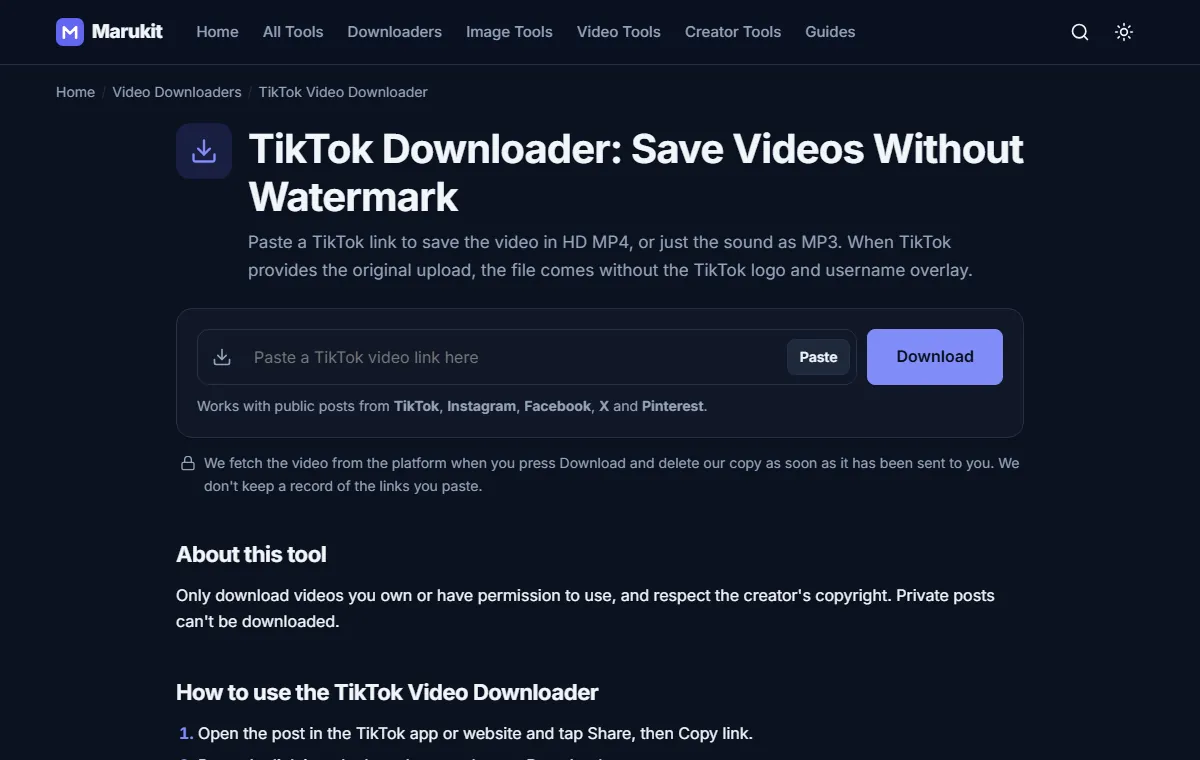
- Open the TikTok Downloader.
- Tap Paste. If your browser asks for permission to read the clipboard, allow it. Or tap the box and paste the link yourself; it starts automatically.
- Wait a few seconds while the video is found. You'll see the caption, creator and length.
Step 3: Choose MP4 or MP3
- MP4 (best quality) gives the sharpest clean video.
- MP4 720p is a smaller file that's easier to send on WhatsApp.
- MP3 saves only the sound: the song, voice-over or audio. TikTok to MP3 picks this for you.
Where the file goes on each device
- iPhone: Safari shows a download arrow at the top. The file is in the Files app under Downloads. To move it to Photos, open it, tap Share, then Save Video.
- Android: open the Files or Downloads app. Most gallery apps also show it in a Downloads album.
- Windows or Mac: it's in your Downloads folder.
If the download doesn't work
- The video is private or friends-only. Open the link in a private browser window. If TikTok asks you to log in, it can't be downloaded.
- It's a photo slideshow, not a video. Slideshows aren't supported yet.
- The link is to a profile, not a single video. Copy the link from the video itself.
- TikTok is slow or blocking requests for a moment. Wait a minute and try again.
Frequently asked questions
Is it free?
Yes. Marukit is free, needs no account and has no daily limit for normal use.
Does the video lose quality?
No. You get the same file TikTok stores, not a screen recording or a re-encode.
Can the creator see that I downloaded it?
No. Marukit fetches the public video like a browser would and doesn't interact with the creator's account.
Tools in this guide
More guides
- How to Download Instagram Reels (iPhone, Android, PC)
- How to Compress an Image to 100KB Without Losing Too Much Quality
- How to Compress a Video for WhatsApp
- HEIC vs JPG: Which Should You Use, and How to Convert
- Best Video Sizes for Social Media (TikTok, Reels, Shorts and More)
- How to Convert MOV to MP4 (Windows, Mac and iPhone)
- How to Convert PNG to WebP for a Faster Website
- How to Reduce Video Size on Your Phone (iPhone and Android)
- How to Make Your Photo Fit as a WhatsApp DP