 Marukit
Guide
How to Download YouTube Videos and Shorts as MP4
Here's how to save a public YouTube video or Short to your phone or computer as an MP4, using only the video's link: which quality to pick, where the file goes, and what to do when a video won't download.
Updated · 2 min read
What you can and can't download
- Works: public videos and Shorts, from youtube.com, m.youtube.com and youtu.be links, up to 1 hour long.
- Video only: you get an MP4 with sound. There is no MP3 or audio-only option for YouTube.
- Doesn't work: whole playlists or channels, live streams that are still running, and private, age-restricted or members-only videos.
Only download videos you made or have permission to use, and credit the creator if you share them.
Step 1: Copy the video's link
- In the YouTube app, open the video or Short and tap Share, then Copy link. You get a short youtu.be link, which works fine.
- On a computer, copy the address from the address bar.
- Copied a video from inside a playlist? That's fine too: just that one video is downloaded.
Step 2: Paste it and pick a quality
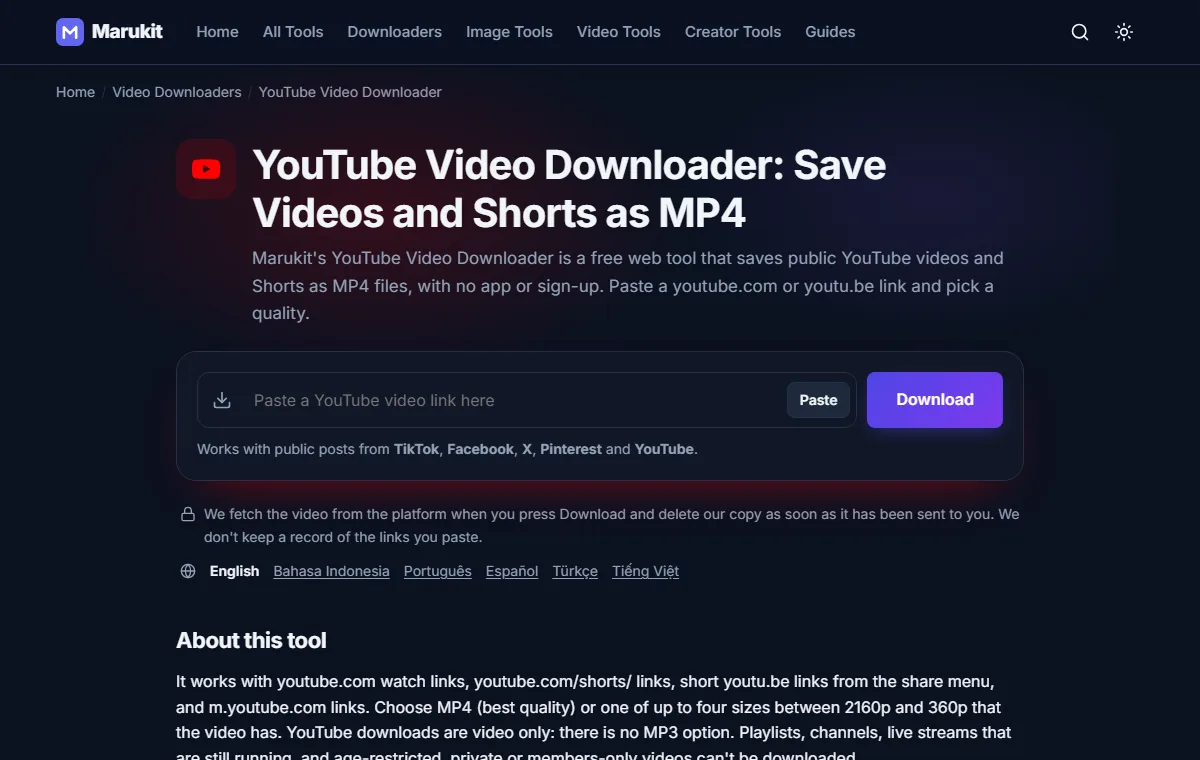
- Open the YouTube Video Downloader in Chrome, Safari or any browser.
- Tap Paste (allow clipboard access if your browser asks), or paste the link into the box yourself.
- After a few seconds you see the title, channel and length, with buttons for each quality the video has.
- MP4 (best quality) gives the sharpest version that plays on phones, usually up to 1080p.
- 720p or 480p make a smaller file, handy for WhatsApp or a phone that's nearly full.
HD choices (720p and up, or best quality) show a short ad for a few seconds first, which keeps the site free. Then the page shows Preparing your video... and, when it's ready, Download started! Check your Downloads folder. Long videos can take up to a minute.
Where the video goes
- iPhone: in Safari, the MP4 is in the Files app under Downloads. Open it, tap Share, then Save Video to put it in Photos.
- Android: open the Files or Downloads app. Most gallery apps also show it in a Downloads album.
- Windows PC or Mac: it's in your Downloads folder.
If the YouTube video won't download
- "This post is private or needs a login, so it can't be downloaded." The video is private, members-only or age-restricted. Only public videos work.
- "Live streams can't be downloaded until they have ended." Wait until the stream is over and YouTube has saved it as a normal video.
- "This video is too long to download here." Videos longer than 1 hour aren't supported.
- "Video not found. It may have been deleted. Check the link." The video was removed, or only part of the link was copied.
- "Couldn't fetch this video right now. Please try again in a moment." YouTube may be slow for a moment. Wait a minute and try again.
Need it smaller to send? Use Compress Video for WhatsApp. Want only the cover picture? The YouTube Thumbnail Downloader saves it as a JPG.
Try the YouTube Video DownloaderSave public YouTube videos and Shorts as MP4. Free, no signup.Open toolFrequently asked questions
Can I download YouTube videos without an app?
Yes. Everything works in your browser on iPhone, Android or a computer, with no app and no login.
Can I download YouTube Shorts?
Yes. Copy the Short's link with Share › Copy link and paste it like any other video.
Can I download a YouTube video as MP3?
No. YouTube downloads here are video only, as MP4.
Can I download a whole playlist?
No, one video at a time. Open each video, copy its link and paste it separately.
Tools in this guide
More guides
- Photo and Signature Size Limits for Online Applications
- How to Download TikTok Videos Without Watermark
- How to Download TikTok Audio as MP3 (iPhone, Android, PC)
- How to Download Facebook Videos (iPhone, Android, PC)
- How to Download Twitter (X) Videos on iPhone, Android and PC
- How to Download Pinterest Videos to Your Phone or PC
- How to Reduce Photo Size to 100KB on Phone or PC
- How to Compress a Video for WhatsApp
- HEIC vs JPG: Which Should You Use, and How to Convert
- Best Video Sizes for Social Media (TikTok, Reels, Shorts and More)
- How to Convert MOV to MP4 on Mac, Windows and iPhone
- How to Convert PNG to WebP for a Faster Website
- How to Reduce Video Size on Your Phone (iPhone and Android)
- How to Make Your Photo Fit as a WhatsApp DP
- How to Download a YouTube Thumbnail in HD (iPhone, Android, PC)